WorkCenterLive turns JobBOSS² activity into a clean, always-up-to-date dashboard for supervisors, managers, and operators without the complexity of a full ERP overhaul.
What you get
At-a-glance status for every machine: Running, Waiting, Planned, and Stopped plus alerts to highlight what needs attention.
See your shop floor in real time
Here’s what supervisors and managers see: live machine status, bottlenecks, alerts, and shift-aware activity all in one clean screen.
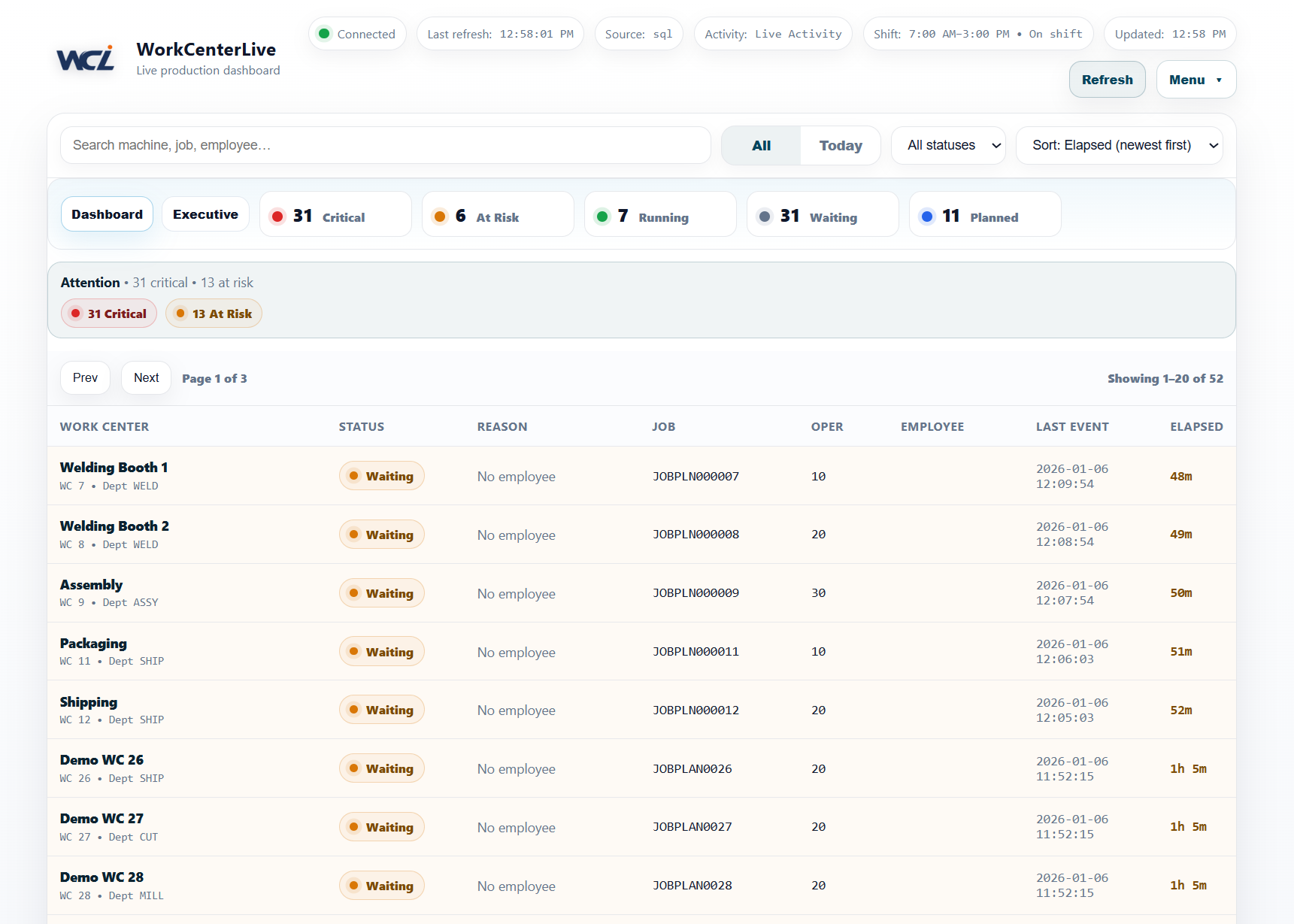
Live status, instantly
See what’s running right now and what’s waiting so you can remove blockers and keep work moving.
TV Mode for the floor
Perfect for a wall display. Auto-refreshes and scrolls so the dashboard stays readable from across the shop.
Secure + simple
Admin settings are protected. Licensing is machine-bound and signed. Support mode can reset admin if enabled.
Designed for small manufacturers
WorkCenterLive is intentionally focused: one screen that answers “What’s happening right now?”
- Daily standups and supervisor visibility
- Operator awareness without digging through menus
- Quick bottleneck detection and escalation
- Cleaner communication across departments
Works with your environment
Use the same UI whether you’re on-prem or hosted.
Hosted: Connect via ECI API credentials.
License & fingerprint: Request keys using the machine fingerprint shown in Settings.
FAQ
How do we show the dashboard on a TV?
http://YOUR-SERVER/workcenterlive/tv
Bookmark it so it launches automatically.